Licenses
Managing access rights with License Keys.
License Keys
A license key in Keyva is a secure, signed string that grants access to a Product or Product Group. Keys can have an expiration date, a set of enabled features, a set of releases they are valid for, and IP restrictions.
License Lifecycle
Licenses go through several states:
The license is valid and can be used for validation and activation.
The license expiration date has passed. Validation will fail.
Cut off by hand or by your billing integration. Validation fails immediately, and the record stays — activating it brings the same key back.
Activation & Validation
Validation
Validation is a lightweight check to see if a key is valid. It verifies the signature, expiration, and status. It does not bind the key to a machine.
IP Restrictions
IP Restrictions bind a license key to a specific IP address or CIDR range. License checks that are received from an IP address that is not in the allowed list will fail.
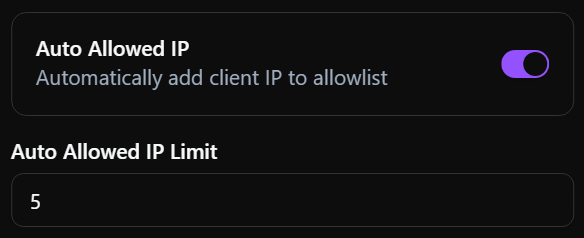
Auto Allowed IP
The Auto Allowed IP setting simplifies the process of binding licenses to specific IP addresses. When enabled on a Product or Product Group, the IP address of the first validation request (or up to the configured limit) will be automatically added to the license's allowed IP list.
This allows for "shipping" keys to customers without needing to know their infrastructure details beforehand, while still enforcing IP restrictions after the initial connection.