Integration Guide
Code samples to get you started quickly.
Getting Started
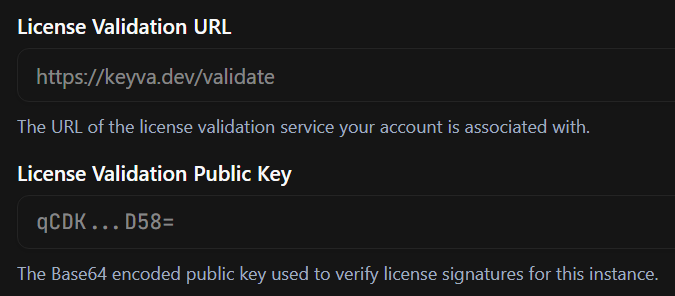
To validate licenses in your application, you'll need two pieces of information from your dashboard:
- License Validation URL: The endpoint where your application will check license status.
- Public Key: Used to verify the signature of the license token to ensure it hasn't been tampered with.
You can find both of these in your Settings page.
The samples below call https://keyva.dev/validate, the short URL, which always resolves to the latest version of the validation API. To pin your integration to a fixed contract instead, swap it for the versioned URL,https://keyva.dev/api/v1/validate — the request and response are otherwise identical. See the API Reference.
import fetch from 'node-fetch';
import { jwtVerify, importJWK } from 'jose';

const args = process.argv.slice(2);
const licenseKey = args[0];
const publicKeyArg = args[1];

async function validateLicense(key: string, publicKeyBase64: string) {
    const response = await fetch(`https://keyva.dev/validate`, {
        headers: { 'X-License-Key': key }
    });

    if (!response.ok) {
        throw new Error('Validation failed');
    }

    const data: any = await response.json();

    if (data.valid) {
        console.log('License is valid!');

        // Verify the token signature
        try {
            const publicKey = await importJWK({
                kty: 'OKP',
                crv: 'Ed25519',
                x: Buffer.from(publicKeyBase64, 'base64').toString('base64url')
            }, 'EdDSA');

            const { payload } = await jwtVerify(data.token, publicKey);
            console.log('Token Verified. Expires:',
                new Date((payload.exp || 0) * 1000).toISOString());
            console.log('Features:', payload.features);
        } catch (err) {
            console.error('Token verification failed:', err.message);
        }
    } else {
        console.log('License is invalid:', data.reason);
    }
}

validateLicense(licenseKey, publicKeyArg);
Run this script
Make sure to install the required dependencies before running the script.
npx tsx validate.ts <license-key> <public-key>Example Output
$ npx tsx validate.ts KEYVA-HFHVAV T8r...JQ=
License is valid!
Token Verified. Expires: 2027-01-10T08:34:00.000Z
Features: [ 'FEAT_PREMIUM', 'FEAT_SSO' ]